1
Connect Last.fm
Tap "Connect" and log in through Last.fm's official OAuth page. Your password never touches Orchard.
The automatic scrobbler for iPhone that actually works. Connect your Last.fm account once — Orchard syncs every play in the background. No missed tracks, no manual work.
The missing link between Apple Music and Last.fm — precise, gorgeous, and effortless.
Minimal, native, and built to disappear into your listening routine.

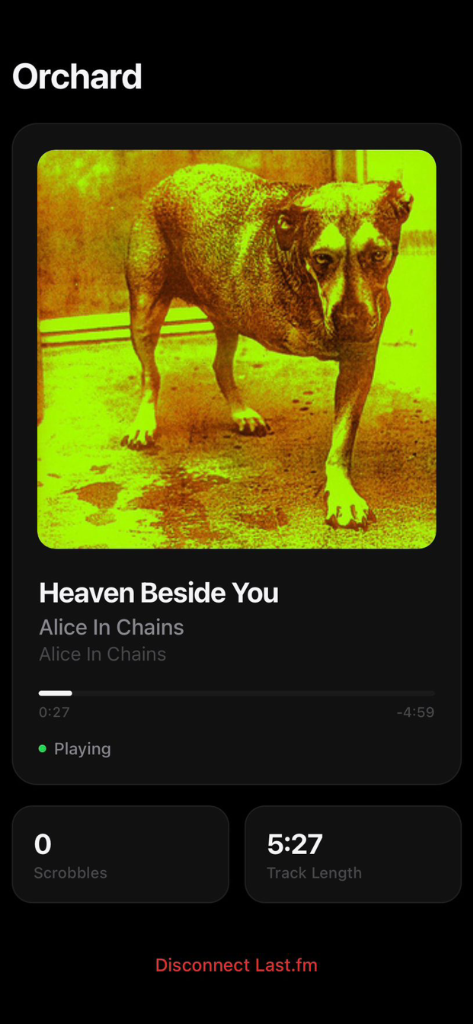
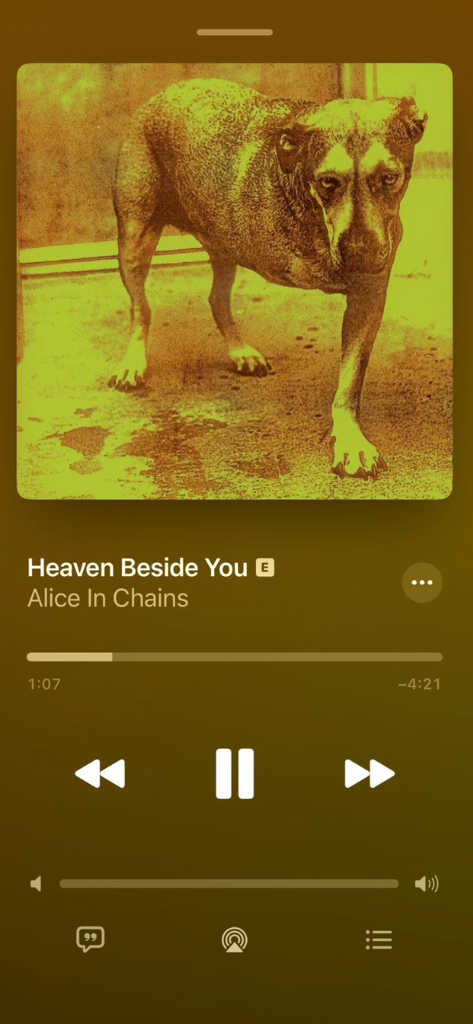
No complicated settings. No accounts to create on yet another service. Three taps and you're done.
Tap "Connect" and log in through Last.fm's official OAuth page. Your password never touches Orchard.
Grant Orchard read-only access to your music library. It only reads what's currently playing — nothing else.
Every track you play in Apple Music gets automatically scrobbled to Last.fm. Just listen — Orchard handles the rest.
Other scrobblers fail you with missed tracks, dead batteries, and sketchy auth. Orchard is built different.
Orchard syncs your Apple Music listening history even when you're not looking at the app. Scrobble tracks in the background without lifting a finger.
See exactly what's playing with beautiful album art from Last.fm, track progress, and a live scrobble counter. Your listening session, beautifully surfaced.
Built on a native Swift module that reads directly from iOS. No constant background polling, no third-party proxies — as light as a calculator app.
Listened to an album on airplane mode? iOS caches your history locally. Next time you open Orchard with a connection, it bulk-scrobbles every missed play.
No bloated multi-service support. Orchard is laser-focused on Apple Music — built specifically for iPhone users who take their listening stats seriously.
We use Last.fm's official OAuth — your password is never stored. Data goes directly from your iPhone to Last.fm's API. No middlemen, no analytics SDKs.
Everything you need to know about scrobbling Apple Music on iPhone.
Download Orchard from the App Store, connect your Last.fm account, and allow access to your music library. Orchard is an automatic scrobbler for iPhone — every track you play in Apple Music gets synced to Last.fm without any manual input.
Yes. Orchard reads your Apple Music listening history through iOS, so it catches every play even when the app isn't in the foreground. Open Orchard periodically to sync any queued scrobbles — it bulk-processes everything it missed.
Yes. iOS caches your listening history on-device even without a connection. The next time you open Orchard with internet access, it automatically bulk-scrobbles every track you played offline. Nothing is lost.
Absolutely. Orchard uses Last.fm's official OAuth flow — we never see or store your password. Only a secure session token is saved in the iOS Keychain (hardware-encrypted). You can revoke Orchard's access anytime from your Last.fm settings.
No. Orchard is built on a native Swift module that reads directly from iOS — no constant background polling, no GPS, no third-party proxies. It's as battery-gentle as a calculator app.
Yes, 100% free. Orchard is supported by a small, non-intrusive banner ad. All features are available to every user — no premium tier, no paywalls.
Orchard is purpose-built as an Apple Music scrobbler for iOS. Unlike generic scrobblers, it uses a native Swift module to read playback data directly from iOS — resulting in better accuracy, lower battery usage, and reliable offline scrobble recovery. It's the best Last.fm app for iOS if you're an Apple Music user.
Join Apple Music listeners who've made the switch to the only scrobbler for Last.fm built the right way.
Download Free on the App StoreRequires iPhone · iOS 16 or later · No subscription